
Reinforce learning.
Reward real effort.
LocktoLearn is a parent-guided educational reinforcement system. Your child completes structured quizzes, demonstrates comprehension, and earns temporary screen access as the reward.
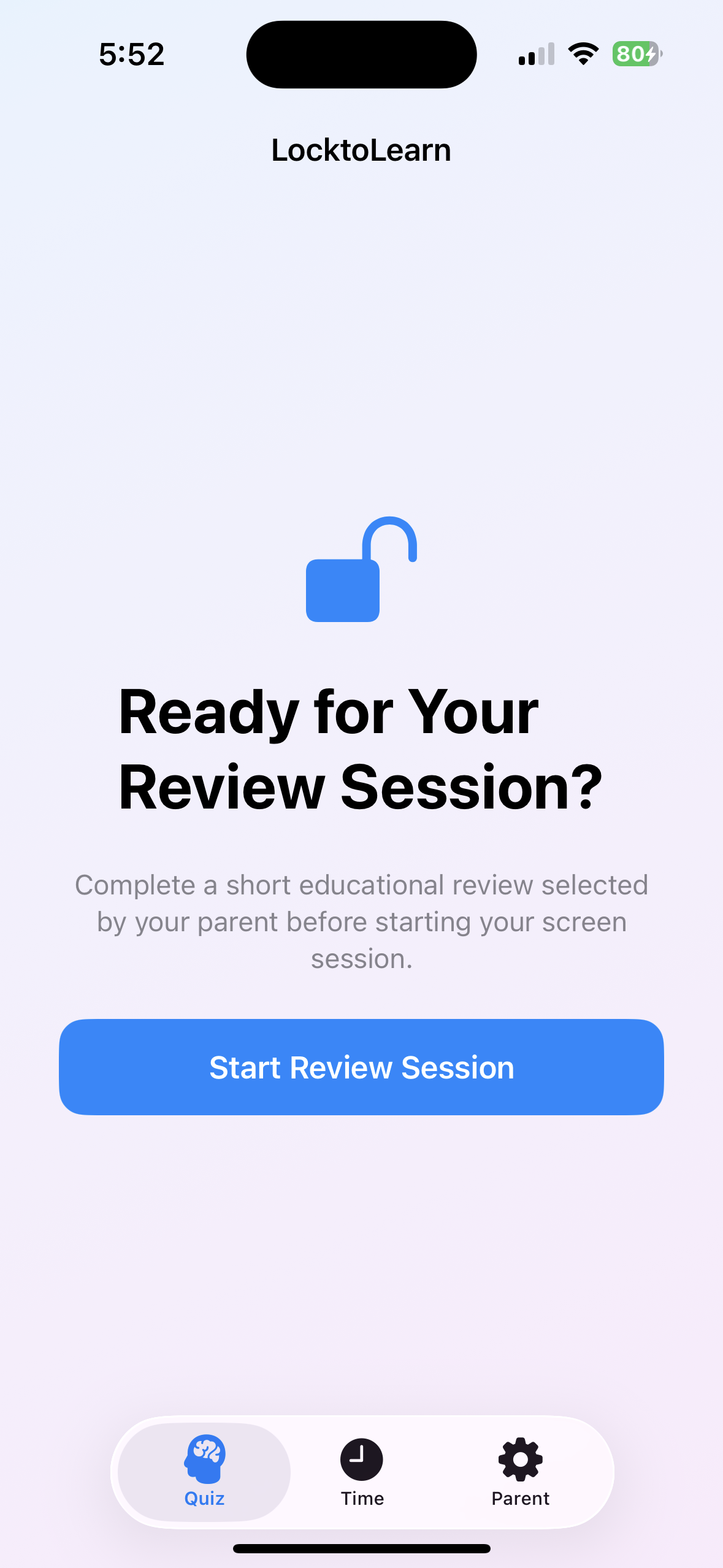
A structured academic review system for families.
You choose which entertainment apps require a learning session first. LocktoLearn presents your child with structured quizzes across subjects you select — Math, Spelling, Logic, custom topics, or imported Anki flashcard decks. When they demonstrate comprehension, they earn a timed, parent-approved screen session. Mastered topics rotate out automatically. Progress is tracked over time.
How the learning system works.
1 Build your question bank
Create custom questions, import CSV spreadsheets, or load Anki flashcard decks. 500+ built-in questions included across Math, Spelling, Logic, and Vocabulary.
2 Child takes a review quiz
Typed answers, multiple choice, and audio questions test real comprehension — not lucky guesses. Timed per question. Difficulty adjusts to age and skill level.
3 Mastery is tracked
Accuracy, response time, and topic performance are logged automatically. Questions your child has mastered rotate out, keeping focus on areas that need work.
4 Effort earns screen access
Demonstrated comprehension unlocks a timed, parent-approved screen session. Screen access is the reward — not the default. It ends calmly when time is up.
A complete educational reinforcement system.
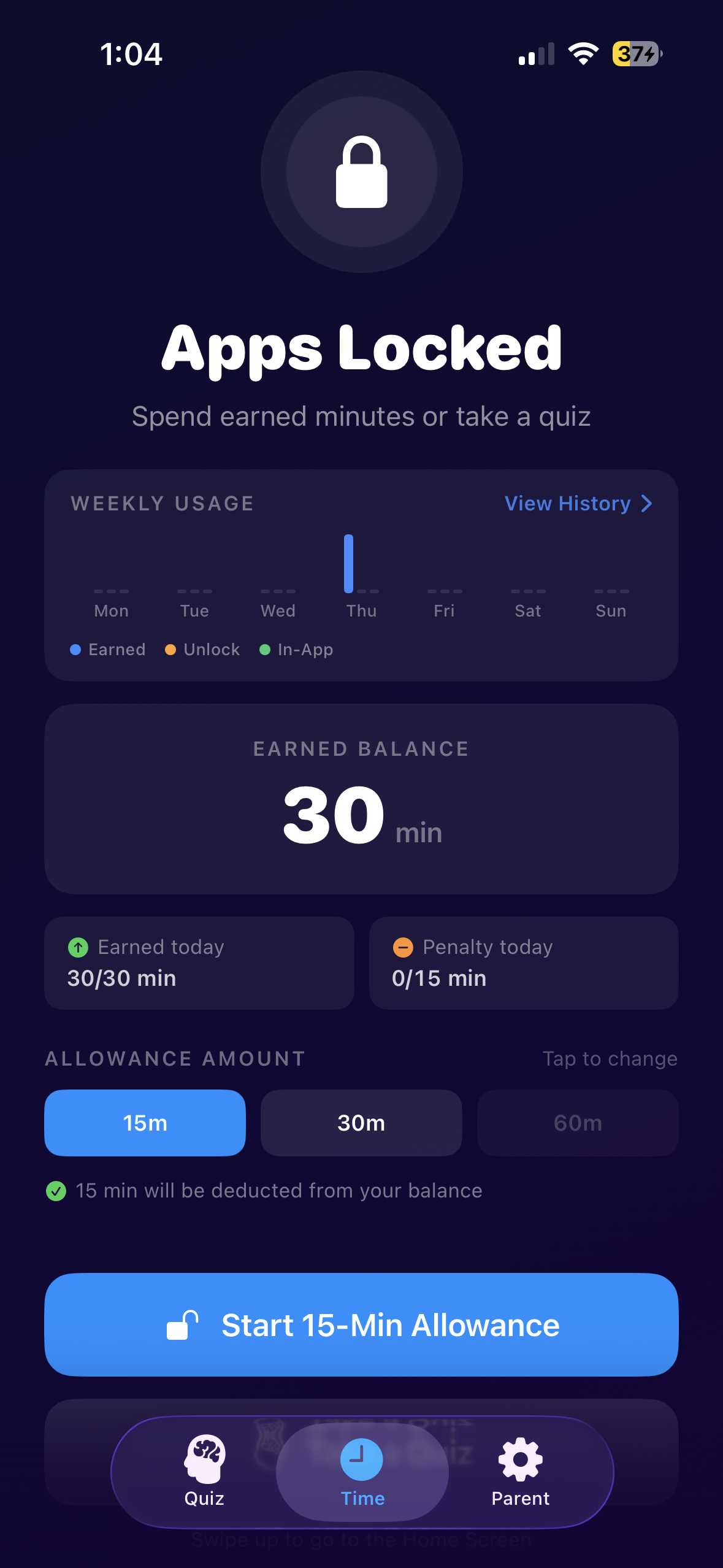
See exactly what your child has earned.
Every completed quiz session adds minutes to an earned balance. Parents and children can see the balance at a glance — building transparency and healthy time-management habits.
- Earned balance — total minutes accumulated through quiz performance
- Weekly usage chart — earned vs spent vs in-app time at a glance
- Daily earnings and penalty tracking
- Flexible session durations: 15 min, 30 min, or 60 min
- One-tap session start when balance is ready
- Makes learning effort visible and rewarding
- Reduces screen-time negotiation — the rules are clear
- Teaches children that screen access follows demonstrated effort
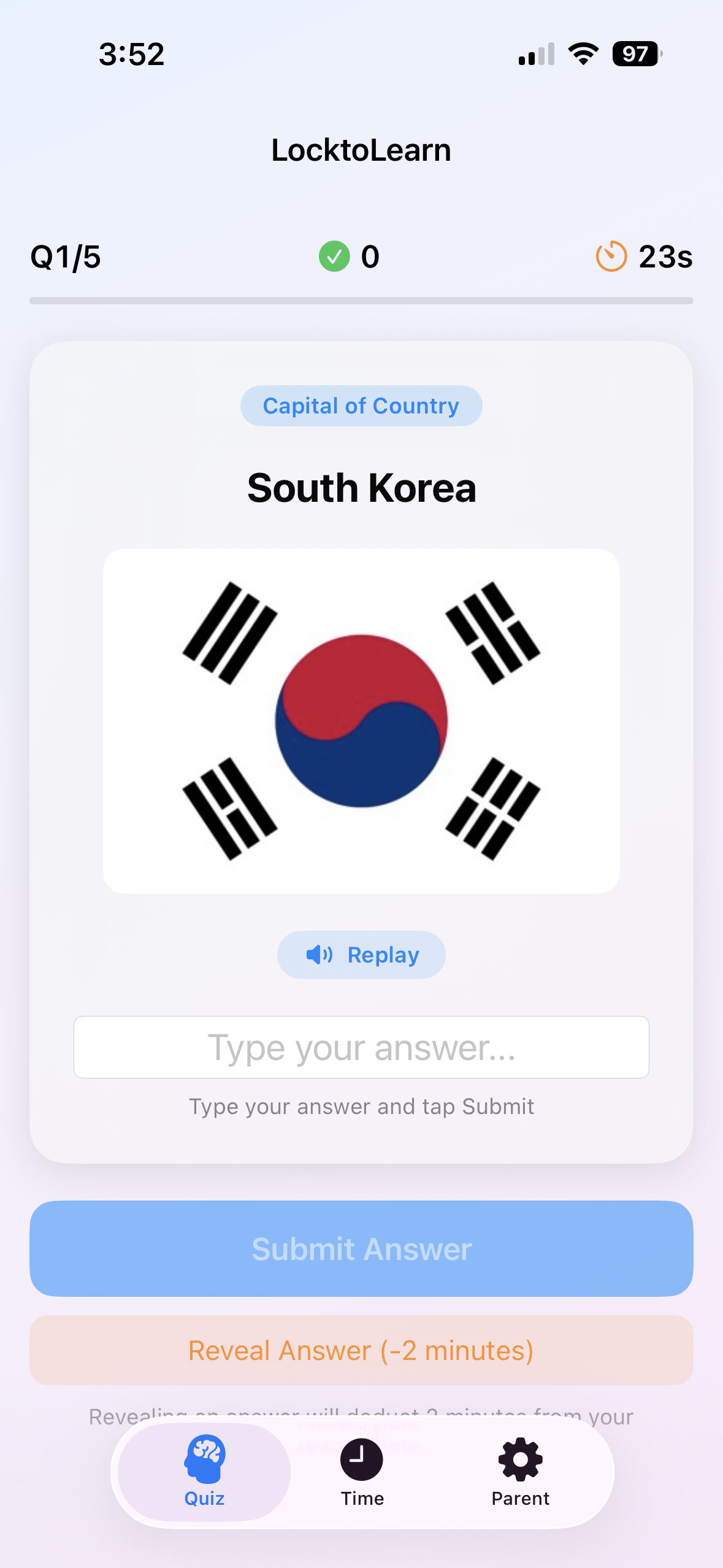
Real comprehension. Not lucky guesses.
LocktoLearn uses multiple question formats specifically designed to measure genuine understanding — not pattern recognition or option-list elimination.
- Typed answers — children recall and type from memory; no options to select from
- Multiple choice — structured options with image and audio support for visual learners
- Audio questions — listen and respond; ideal for spelling drills and language practice
- Per-question countdown timer — parent-configured
- Reveal Answer option with a time penalty — strategic flexibility, not a free pass
- Three difficulty tiers: Beginner (4–6), Intermediate (7–10), Advanced (11+)
- Question progress indicator and live score
Designed so that getting the right answer requires actually knowing it.
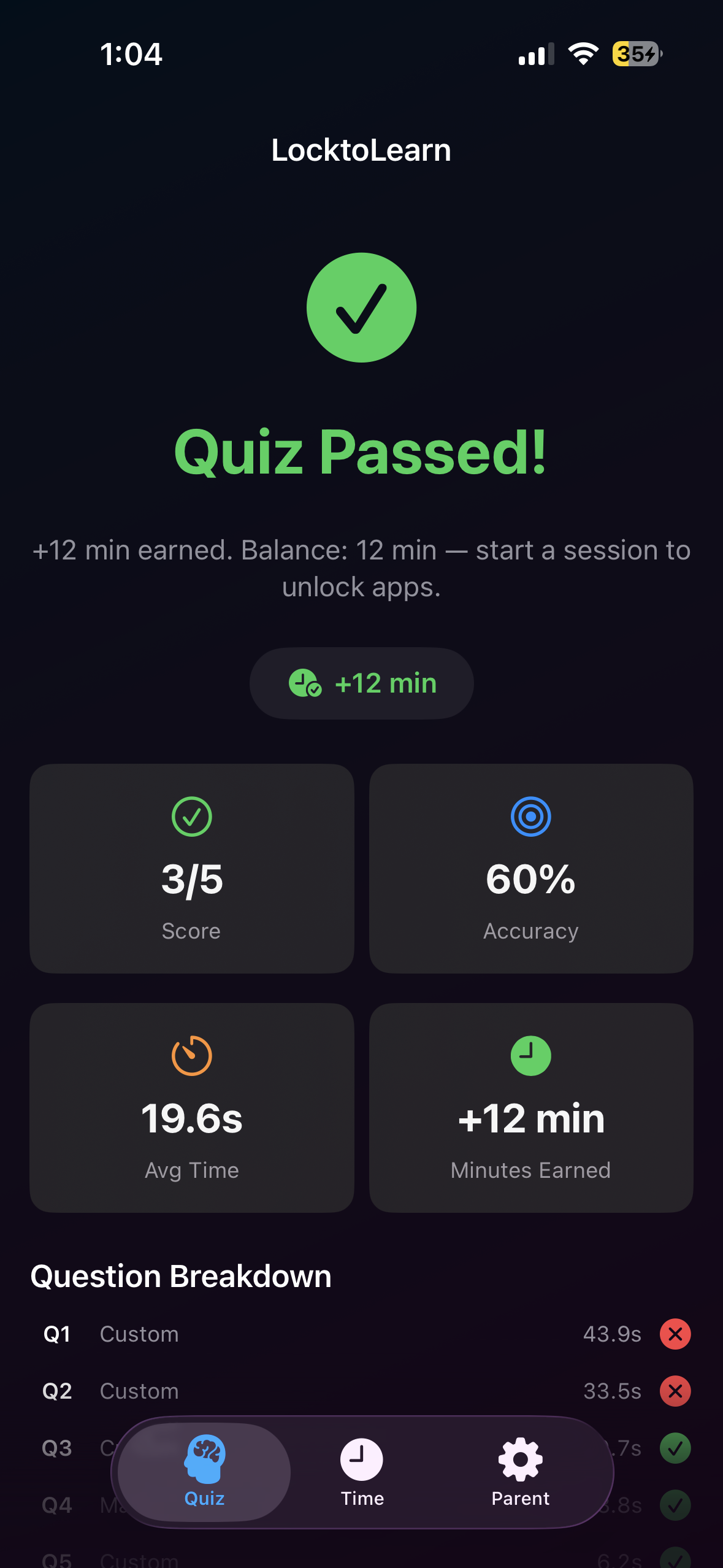
Every session produces measurable data.
After each quiz, parents and children see a full performance breakdown — not just pass or fail, but real comprehension insight that informs what to practice next.
- Score and percentage accuracy
- Average response time per question
- Minutes earned from this session
- Question-by-question breakdown — correct, incorrect, and time taken
- Mastered questions automatically rotate out of future sessions
- Weak topics appear more frequently until demonstrated
- Cumulative accuracy and streak data tracked over time
- Category-by-category performance history
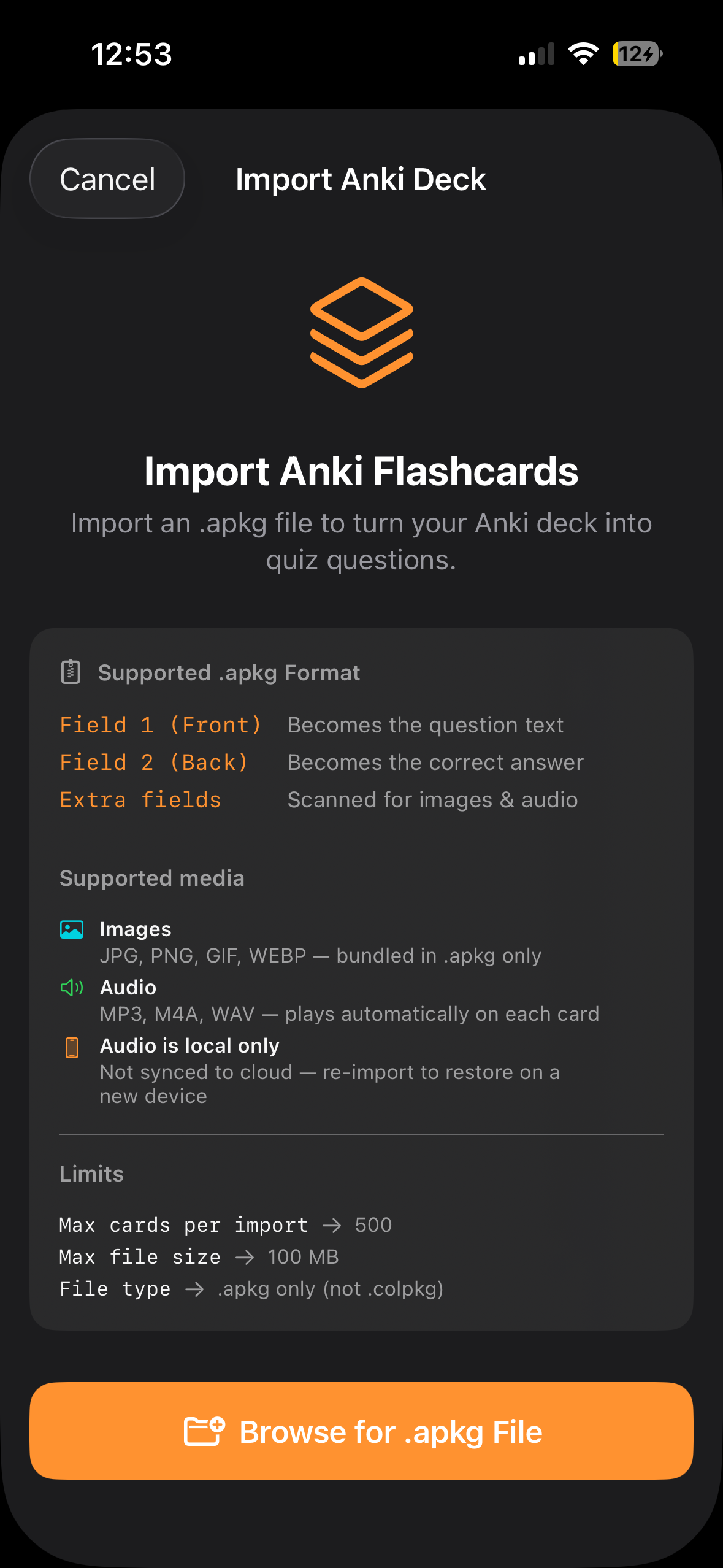
Their curriculum. Your question bank.
Build a fully personalised academic review system tailored to your child's school subjects, exam prep, or daily practice needs — using content you already have.
- Author questions manually — typed, multiple choice, or audio+image formats
- Import from CSV — paste a spreadsheet and get a structured quiz set instantly; supports typed and multiple choice columns
- Import Anki decks (.apkg) — bring existing flashcard libraries directly into the review workflow; images and audio included
- Homeschool curriculum review
- Spelling and language drills
- Math fact practice
- Science and geography
- Foreign language vocabulary
- Exam and test preparation
Up to 500 custom questions per bank. 500+ built-in questions included across Math, Spelling, Logic, and Vocabulary.
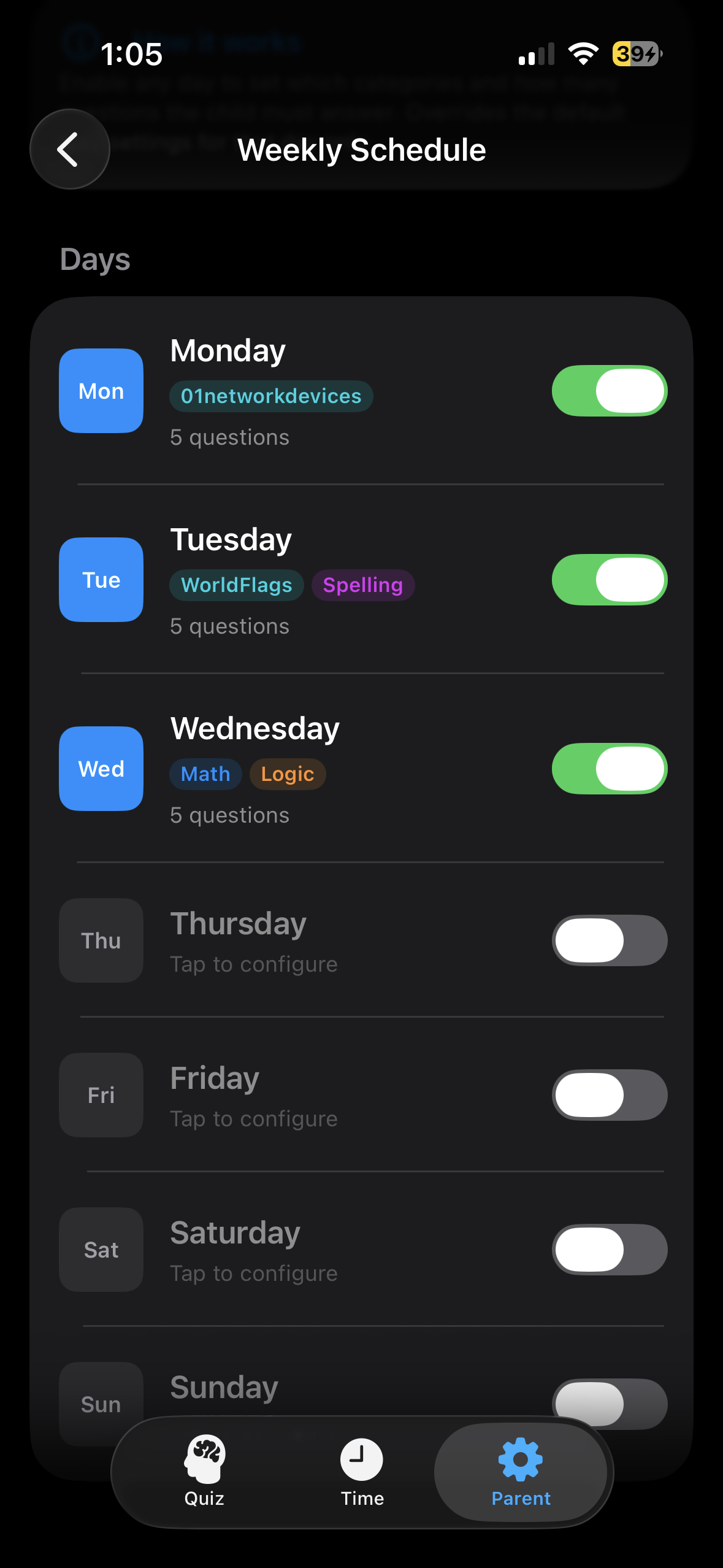
Different subjects, different days.
Schedule which topic categories appear on which days of the week — so Monday is Math, Tuesday is Spelling, Wednesday is your custom Anki deck. Structure builds habit.
- Assign one or more topic categories per day
- Toggle any day on or off instantly
- Mix built-in categories with custom and imported content
- Unconfigured days use the full question bank
- Mimics a school timetable — familiar structure for children
- Prevents topic fatigue by rotating subjects through the week
- Aligns quiz content with what the child is studying in school
- Parent-configured and PIN-protected
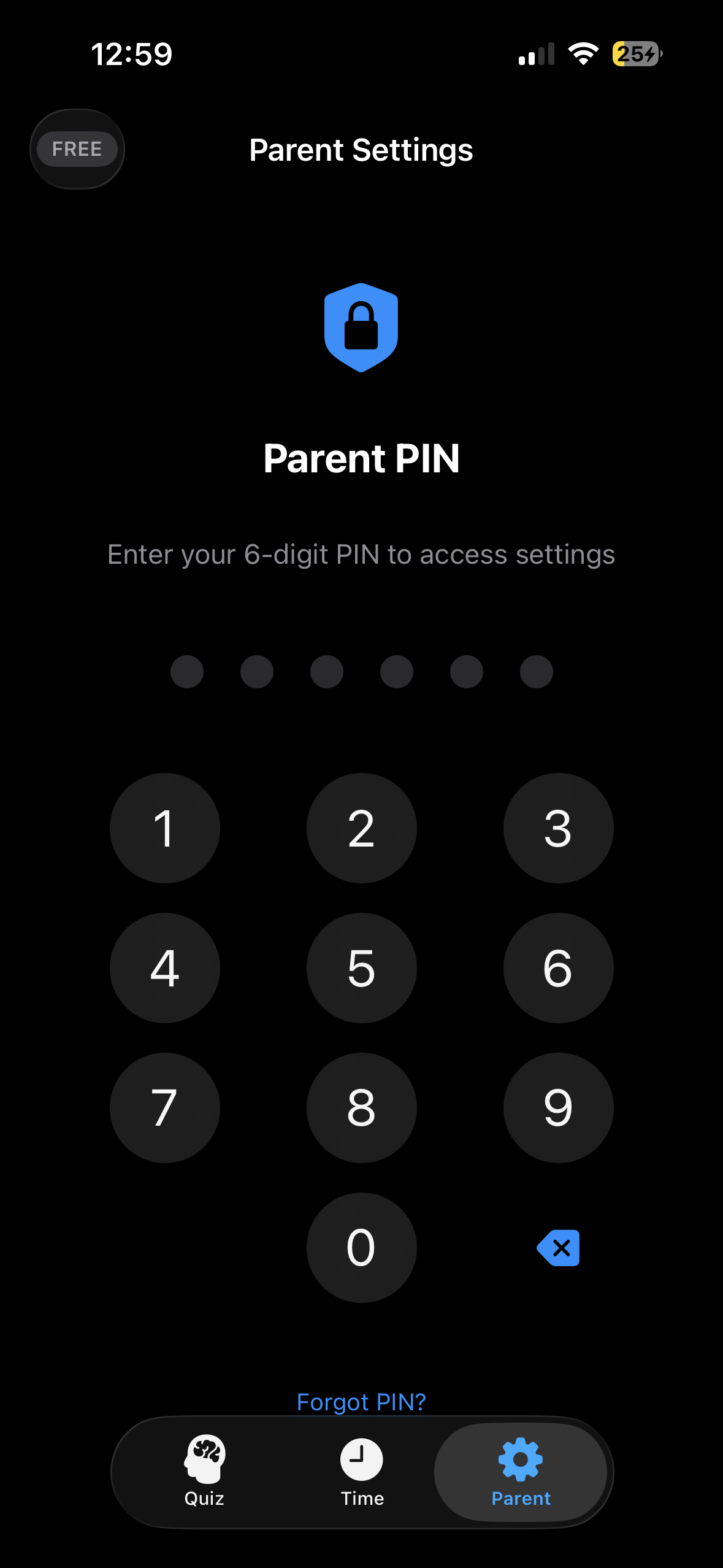
Your rules. Fully configurable. PIN-protected.
Every academic parameter — quiz length, difficulty tier, time rewards, topic categories, weekly schedule — is controlled by the parent and locked behind a secure PIN your child cannot access.
- Questions per quiz session
- Time allowed per question
- Difficulty tier (Beginner / Intermediate / Advanced)
- Minutes awarded per correct answer
- Daily earning cap
- Which apps require a learning session first
- 6-digit PIN stored securely in Apple's Keychain — not UserDefaults
- Progressive lockout after repeated failed PIN attempts
- PIN recovery via email verification — no permanent lockout
- All settings hidden from child-facing views
Uses official Apple FamilyControls, ManagedSettings, and DeviceActivity APIs for secure, system-level enforcement.
Transparent about every framework we use.
LocktoLearn uses Apple's official Screen Time APIs as the accountability and enforcement layer for its educational workflow. Here is every framework we use and the only reason we use it.
FamilyControls
Requests authorisation to manage which apps require a learning session. We request only what you explicitly grant — nothing broader.
ManagedSettings
Applies and removes the app shield when a session starts or ends. Only acts on apps you have chosen. Never applied silently.
DeviceActivity
Tracks the timed screen session. Fires when the earned window expires and re-applies the shield. Activity data stays on device.
LocktoLearn is not made by, endorsed by, or affiliated with Apple. Apple, the Apple logo, App Store, FamilyControls, and Screen Time are trademarks of Apple Inc.
Your child's data does not pay for this app.
A subscription does. That's the deal.
No selling of personal data
We never sell, rent, or trade your personal information. Not to advertisers. Not to data brokers. Not ever.
On-device by default
Quiz content, performance data, and Screen Time activity are processed on your device. We only transmit what is needed for optional cloud sync.
Transactional email only
We send messages only for account activity, billing, PIN recovery, and support. There is no marketing list.
Designed for families with children
Parents and guardians should supervise usage. We do not knowingly collect personal information from children under 13 without verifiable parental consent.
Delete your account at any time
One tap in the app or one email to support and your account, quiz content, and data are permanently removed within 30 days.
The full policy, in plain English
The Privacy Policy is written in plain English with no buried clauses. Read it →
Simple, honest pricing.
One subscription unlocks all features — question bank, imports, scheduling, analytics, and cloud sync — for your Apple ID and Family Sharing group.
Monthly
Cancel anytime in Settings → Apple ID → Subscriptions.
Yearly SAVE 33%
Billed once a year. Same features, lower per-month price.
Subscriptions are billed and managed by Apple. Cancellation takes effect at the end of the current billing period. Refunds are handled by Apple at reportaproblem.apple.com. Free trial, if offered, must be cancelled at least 24 hours before it ends to avoid charges.
Common questions
Is this primarily an app blocker?
What subjects and topics are supported?
What question formats does LocktoLearn support?
Can I import my existing Anki flashcard decks?
How does the CSV import work?
question, answer, category, question_type — and three optional columns for multiple choice: option_1, option_2, option_3. Set question_type to text for typed answers, multiple_choice for multiple choice (requires at least 2 wrong options), or audio_image for audio questions. The importer handles UTF-8, BOM headers, and quoted fields automatically.Does it work without an internet connection?
Does LocktoLearn bypass Apple's Screen Time?
How do I cancel?
How do I delete my account?
Start reinforcing learning today.
Build your question bank, run your first quiz session, and track your child's comprehension — all in under five minutes.
Requires iOS 16 or later. LocktoLearn is not made by, endorsed by, or affiliated with Apple.